

tensorFinance
Financial control without spreadsheet chaos
Overview
tensorFinance is an integrated finance and accounting application for businesses, packed with automated and easy-to-track features such as: chart of accounts, general journal, complete sales and purchase document flows (quotations, invoices, delivery orders, and more), inventory and warehouse, cash & bank, fixed assets, budgets, asset depreciation, currency conversion, plus tax calculations, profit & loss statements, balance sheet reports, and much more.
The software works in Bahasa Indonesia or English, across branches and departments, with documents generated automatically and ready to print. You can also use tensorPOS for businesses that need a fully integrated cashier.
Free tier: 1 admin, workspace apps, 1 GB storage, and up to 300 tensorFinance / tensorPOS transactions per month — upgrade when you need more users or volume.
Key capabilities
- Nine-module workspace: dashboard through reports
- Full sales & purchase document flows with GL posting
- Inventory, cash & bank, fixed assets, and budgets
- Indonesian tax reports and management PDFs
- Bilingual English / Bahasa Indonesia
- Tensor POS POS and Tensor HR payroll import
- Free tier: 15 Finance/POS transactions per day
Pricing
Free: 15 transactions / day. Paid: Rp 36,667 / month (list) · Rp 400,000 / year (~9% off).
Product screenshots
Features
Dashboard
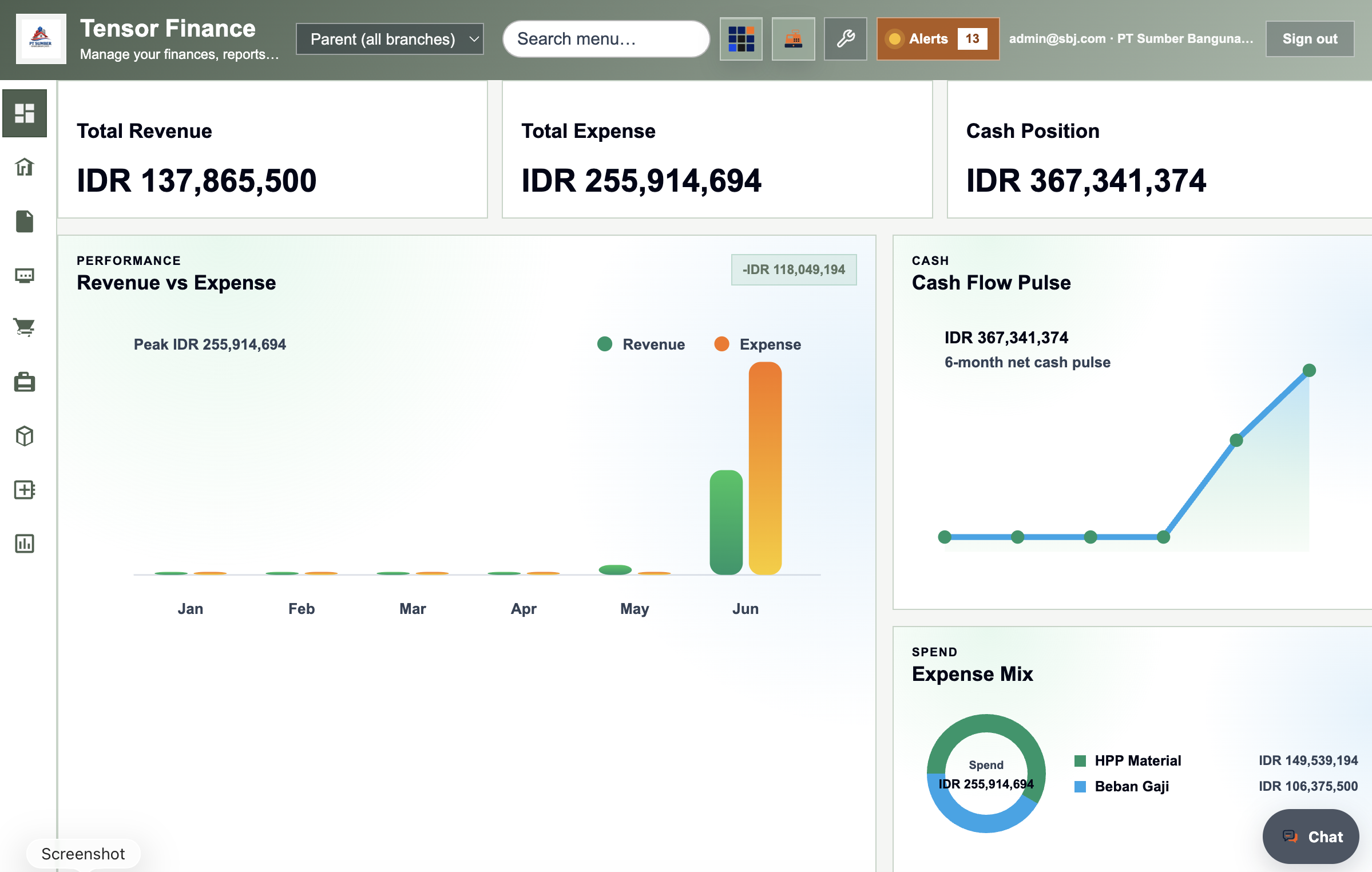
- Revenue, expense, and cash position KPIs
- Revenue vs expense, cash flow, and expense-mix charts
- Action-needed table across sales, purchase, inventory, and GL
General ledger
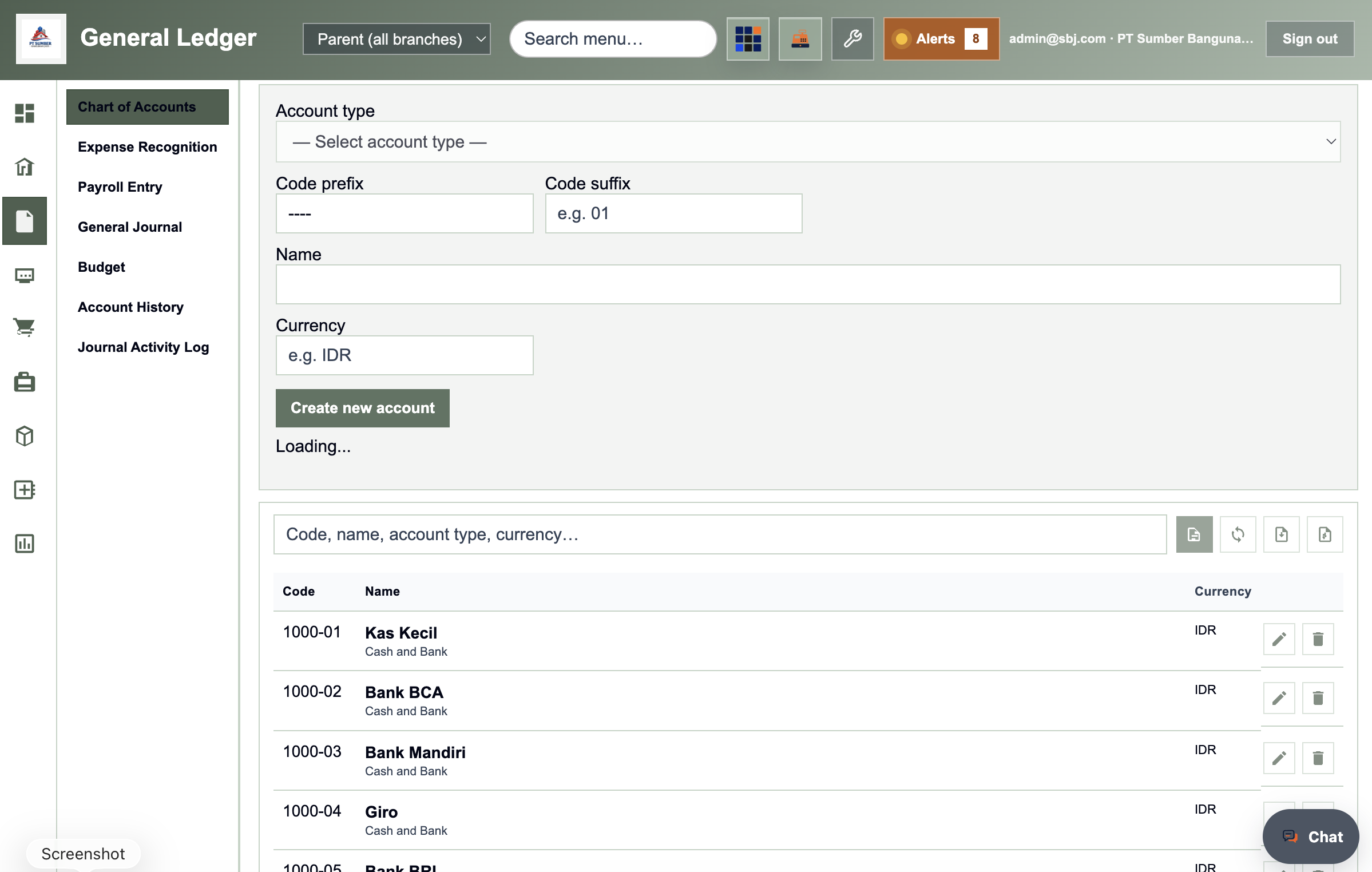
- Chart of accounts with CSV and Tensor Table bulk edit
- General journal — manual, adjustment, opening, and closing entries
- Payroll entry with PPh 21 and import from Tensor HR
- Expense recognition, GL budgets, and journal audit log
Sales (accounts receivable)
- Quotation → order → down payment → delivery → invoice → receipt
- Customer master with CSV import/export
- VAT lines and printed sales documents to tensorDocs
- Import Tensor POS POS sales into the ledger
Purchase (accounts payable)
- Goods request → PO → goods receipt → invoice → payment
- Purchase down payment, return, and supplier master
- Supplier price lists and payment posting to GL
Inventory
- Goods & services catalog with warehouse stock and POS images
- Goods request, stock transfer, adjustment, job order, fulfillment
- Stock per warehouse, minimum stock, and stock take
- CSV and Tensor Table sync for large catalogs
Cash & bank
- Payments and receipts with GL distribution lines
- Bank transfers between cash/bank accounts
- Automatic posting to general journal
Fixed assets
- Asset register with straight-line and double-declining depreciation
- Categories, adjustments, disposal, and location tracking
- CSV export/import for asset lists
Reports & Indonesian tax
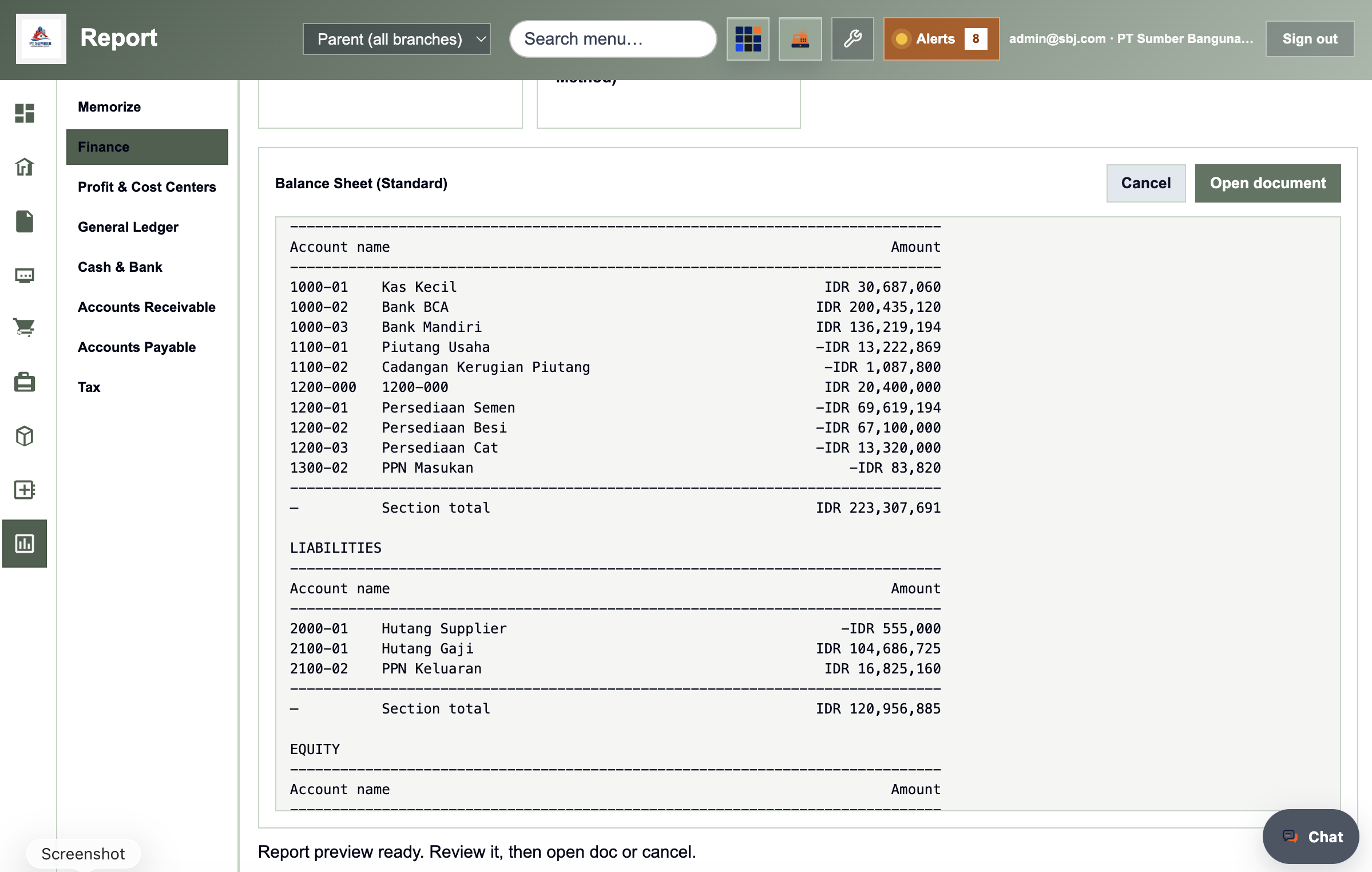
- P&L, balance sheet, cash flow, and cash projection PDFs
- AR/AP aging, subsidiary ledgers, and customer/supplier statements
- Output/input PPN & PPnBM, VAT reconciliation, and WHT proofs
Company & preferences
- Tax types (PPN, PPh), payment terms, employees, month-end closing
- CRM contacts, company calendar, and activity audit log
- Bilingual UI, COA numbering, and branch data-sharing controls
Who it is for
Finance managers, accountants, inventory controllers, and COOs at SMEs and mid-market companies in Indonesia — especially trading, retail, distribution, and light manufacturing.
Common use cases
- Trading & distribution — PO → receipt → sales invoice → receipt with inventory and AR/AP aging in one workspace.
- Retail with POS — Tensor POS counter sales post to Finance without duplicate journal entry.
- Month-end close — Posted journals feed P&L, balance sheet, Indonesian VAT reports, and fixed-asset depreciation.
- Multi-branch — Operate outlets under one company with branch-scoped data and optional shared masters.
- Payroll to GL — Import Tensor HR payroll runs, calculate PPh 21, and post when paid.
Frequently asked questions
Do I need Cashier?
Cashier is an optional POS add-on (requires Finance license).
What languages are supported?
Full English and Bahasa Indonesia UI — switch in Preferences without changing your data.
What is the free tier transaction limit?
Free companies include 300 tensorFinance and tensorPOS transactions per month combined. Add transaction packs at checkout when you subscribe or upgrade.
Implementation?
Optional onboarding includes training, stock opname, COA setup, and workflow configuration.
Currency?
Operations are oriented to Indonesian Rupiah (IDR) business practice.
Related articles
- Kalkulator HPP — Hitung Harga Pokok Penjualan
- Biaya Logistik dan Karung Menguras Laba? Tips Efisiensi Pengiriman Beras Antar Daerah
- Bisnis Beras Premium vs Beras Curah: Mana Margin Keuntungan yang Lebih Kebal Inflasi?
- Bocor Halus di Penggilingan: Cara Menekan Risiko Penyusutan (Shrinkage) Gabah Jadi Beras
- Harga Gabah Fluktuatif: Cara Cerdas Mengunci Margin Profit Bisnis Beras Kemasan
- Investasi Mesin Polos dan Sortir Warna (Color Sorter): Hitung ROI Sebelum Upgrade Pabrik
- Kadar Air Tinggi Bikin Rugi: Hitungan Finansial Pentingnya Mesin Pengering (Dryer) Padi
- Kemitraan Tengkulak vs Jual Langsung: Analisis Keuntungan Distribusi Beras Potong Kompas
Related modules



Tutorials & free resources
Watch step-by-step tutorials and find other free resources on our YouTube channel.
tensorFinance
GL, AR/AP, inventory, tax reports, tensorPOS bridge